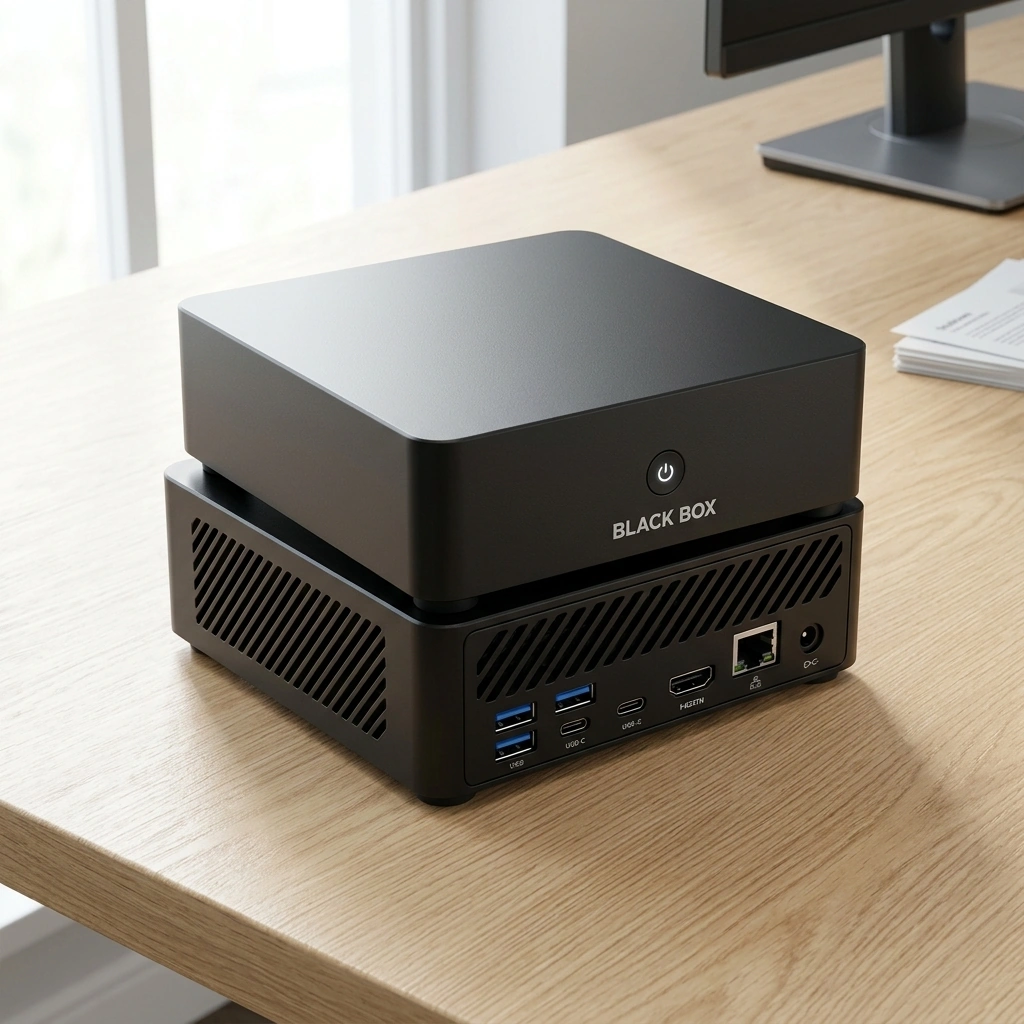

A 64GB unified memory AI mini PC can run large language models (LLMs) up to 70 billion parameters using 4-bit quantization, process complex RAG document pipelines, and handle concurrent multimodal workloads including vision and speech. Black Box, a compact personal AI appliance, leverages this architecture to keep supported AI processing on the device. This guide details the specific workloads, memory allocation strategies, and performance expectations for 64GB unified memory systems in 2026.
RAG Document Processing
Retrieval-Augmented Generation (RAG) is a technique that grounds LLM responses in specific, user-provided documents rather than relying solely on pre-training data. On a 64GB unified memory system, RAG pipelines are highly efficient because the vector database and the LLM share the same high-bandwidth memory pool. This architecture eliminates the latency penalty of transferring data between separate CPU and GPU memory spaces. For additional details, review the .
Vector Database Capacity
Unified memory allows for the storage of massive vector embeddings directly in RAM. A 64GB system can comfortably host vector databases containing millions of document chunks. For example, using 1536-dimensional embeddings (common in models like text-embedding-3-large), each vector requires approximately 6KB of storage. This means a 64GB system can theoretically store over 10 million vectors, though practical limits are set by the need to reserve memory for the active LLM and OS. For additional details, review the Customer Experience.
Processing Throughput
Document ingestion involves chunking, embedding, and indexing. On a system with an AMD Ryzen AI 9 HX 370 processor and integrated Radeon 890M graphics, the CPU handles text preprocessing while the NPU or GPU accelerates embedding generation. This parallel processing ensures that large document libraries are indexed quickly, making the RAG system responsive for real-time querying. For additional details, review the Frequently Asked Questions.
Quantization Methods
Quantization is the process of reducing the numerical precision of model weights to save memory and improve inference speed. For 64GB unified memory, 4-bit quantization (such as GGUF Q4_K_M or AWQ) is the standard for running large models. This method reduces the memory footprint of a 70-billion parameter model from approximately 140GB (FP16) to roughly 40GB, leaving ample headroom for context and system operations.

4-Bit vs 8-Bit Trade-offs
Impact on Context Window
Multimodal Workloads
Multimodal workloads are AI tasks that process multiple data types, such as text, images, and audio, simultaneously. Unified memory is critical for these tasks because it allows the vision encoder, language model, and audio processor to share data without expensive memory transfers. This integration enables seamless workflows where an image is analyzed, described, and then used to generate a response or code.
Shared Memory Advantage
In traditional discrete GPU systems, moving an image from system RAM to VRAM for processing, and then back to RAM for the LLM, introduces latency. In a 64GB unified memory system, the image data remains in the same memory pool. This results in faster end-to-end inference times for multimodal models like LLaVA or Qwen-VL.
Concurrent Modal Processing
Users can run a vision model to analyze a screenshot while simultaneously using a text LLM to summarize a document. The 64GB capacity allows both models to reside in memory at once, provided their combined size does not exceed the available headroom. This concurrency is a key advantage for productivity workflows.
LLM Parameter Sizes
LLM parameter size is the number of trainable weights in a neural network, which directly correlates with model capability and memory requirements. On a 64GB unified memory system, the practical limit for a single LLM is approximately 70 billion parameters using 4-bit quantization. Smaller models, such as 7B to 13B parameters, can run in 8-bit or even FP16 precision, offering higher accuracy for specific tasks.
Model Size vs. Context
There is a direct trade-off between model size and context window. A 70B model leaves less room for long contexts compared to a 13B model. Users must decide whether they need the higher reasoning capability of a larger model or the ability to process longer documents with a smaller model. Black Box is designed to allow users to switch between these configurations easily.
Recommended Models for 64GB
For 64GB systems, the following model sizes are optimal:
- 7B-13B: Run in 8-bit or FP16. Fast, low latency, high context.
- 30B-34B: Run in 4-bit or 8-bit. Balanced performance and context.
- 70B: Run in 4-bit. Maximum reasoning capability, moderate context.
Concurrent Applications
Concurrent applications are multiple AI models or processes running simultaneously on the same hardware. A 64GB unified memory system can host multiple smaller models or a combination of a large LLM and specialized models. For example, a user can run a 13B LLM for general chat, a 7B vision model for image analysis, and a speech-to-text model for voice input, all at the same time.
Memory Budgeting for Concurrency
Task Offloading
Overwatch OS, the operating system for Black Box, is designed to manage memory allocation dynamically. It can offload less frequently used model layers to the SSD if RAM becomes tight, though this may reduce inference speed. This dynamic management ensures that the system remains responsive even when multiple AI tasks are queued.
System Memory Allocation
System memory allocation is the process of dividing the total 64GB of RAM between the operating system, the AI runtime, and the active models. A typical allocation for a 70B model might look like this: 40GB for the model weights, 8GB for the KV cache (context), 4GB for the OS and background processes, and 12GB for buffer and temporary data. This allocation ensures stable operation without out-of-memory errors.
OS and Runtime Overhead
The operating system and AI runtime (such as llama.cpp or vLLM) require a baseline of 4-8GB of RAM. This overhead is consistent regardless of the model size. Users should always reserve at least 8GB for the system to ensure that the OS remains responsive and that other applications can run in the background.
Dynamic Allocation Strategies
Multimodal Workflows: Vision
Multimodal vision workflows are processes that combine image analysis with text generation. On a 64GB system, users can run vision-language models (VLMs) that accept images as input and generate text descriptions or answers. These models are essential for tasks like reading charts, analyzing screenshots, or describing physical objects via a webcam.
Vision Model Sizes
Vision models are typically smaller than text-only LLMs. A 7B VLM in 4-bit quantization requires about 5GB of memory. This leaves plenty of room for a larger text LLM to process the output. For example, a 7B VLM can analyze an image and pass the description to a 70B LLM for deeper reasoning, all within the 64GB memory limit.
Real-Time Vision Processing
For real-time applications, such as video analysis or live webcam feeds, the system must process frames at a high rate. The integrated Radeon 890M graphics and NPU in the AMD Ryzen AI 9 HX 370 are optimized for this type of continuous processing. This allows for smooth, low-latency vision workflows without requiring a discrete GPU.
Speech
Speech processing in AI systems involves converting audio to text (ASR) and text to audio (TTS). On a 64GB unified memory system, these models can run locally, ensuring that voice data does not leave the device. This is critical for privacy-sensitive applications, such as dictating notes or holding private conversations with an AI assistant.
Local ASR and TTS
Local ASR models, such as Whisper, are relatively small and can run in real-time on the NPU or GPU. TTS models, such as Coqui or Bark, are slightly larger but still fit comfortably within the 64GB memory budget. Running these models locally eliminates the need for cloud APIs, reducing latency and ensuring data privacy.
Voice Agent Integration
By combining ASR, LLM, and TTS, users can create a fully local voice agent. This agent can listen to the user, process the request with an LLM, and respond with synthesized speech. The 64GB memory allows for high-quality TTS models that produce natural-sounding voices, enhancing the user experience.
Image Generation
Image generation is the process of creating visual content from text prompts using models like Stable Diffusion. On a 64GB unified memory system, users can run large diffusion models locally. This allows for the creation of high-resolution images without sending prompts to external servers, maintaining control over the generated content.
Diffusion Model Requirements
Stable Diffusion XL (SDXL) and similar models require approximately 10-15GB of VRAM for high-resolution generation. On a 64GB unified memory system, this is easily accommodated. Users can run SDXL in 8-bit or FP16 precision, ensuring high image quality. The unified memory architecture allows the diffusion model to share memory with other AI tasks, enabling complex workflows that combine image generation with text analysis.
Batch Processing
For users who need to generate multiple images, batch processing is essential. A 64GB system can handle larger batch sizes than systems with 16GB or 32GB of VRAM. This results in faster overall generation times for large projects, such as creating a full set of illustrations for a document.
Key Takeaways
- 70B Models are Feasible: 64GB unified memory allows running 70-billion parameter LLMs in 4-bit quantization, leaving room for context and system operations.
- Unified Memory is Key: Shared memory between CPU and GPU eliminates data transfer latency, making multimodal and RAG workflows significantly faster.
- Concurrency is Possible: Users can run multiple smaller models (e.g., 7B LLM + 7B Vision) simultaneously, provided the total memory usage stays within budget.
- Quantization is Essential: 4-bit quantization is the standard for large models on 64GB systems, balancing memory usage and performance.
- Local Speech and Vision: ASR, TTS, and vision models can run locally, ensuring privacy and reducing latency for voice and image tasks.
- Dynamic Allocation Matters: Operating systems like Overwatch OS manage memory dynamically, allowing for flexible context windows and model switching.
- Image Generation is Local: Large diffusion models like SDXL can run locally on 64GB systems, enabling high-quality image creation without cloud dependency.
Frequently Asked Questions
Can I run a 70B LLM on a 64GB unified memory system?
What is the advantage of unified memory over discrete VRAM?
Unified memory allows the CPU and GPU to share the same memory pool, eliminating the need to transfer data between separate memory spaces. This results in lower latency for multimodal tasks and RAG pipelines, where data must move between the processor and the AI model.
How much context window can I expect with a 70B model?
With a 70B model in 4-bit quantization, you can expect a context window of 32,000 to 64,000 tokens, depending on the model architecture and the amount of memory reserved for the KV cache. Smaller models allow for larger context windows.
Can I run multiple AI models at the same time?
Yes, you can run multiple smaller models concurrently. For example, a 7B LLM and a 7B vision model can run simultaneously on a 64GB system. However, running two large 70B models is not feasible due to memory constraints.
Is local AI processing secure?
Local processing keeps data on the device by default, with owner-controlled permissions. This reduces the risk of data exposure to third-party servers. However, local processing does not guarantee complete security or regulatory compliance, and users should review their specific security requirements.
What is the role of the NPU in a 64GB AI mini PC?
The Neural Processing Unit (NPU) accelerates specific AI tasks, such as inference for smaller models or preprocessing for larger models. In systems like Black Box, the NPU works in conjunction with the CPU and GPU to optimize performance and power efficiency.
Can I use a 64GB system for image generation?
Yes, a 64GB unified memory system can run large image generation models like Stable Diffusion XL locally. This allows for high-resolution image creation without sending prompts to external servers, maintaining control over the generated content.
How does quantization affect model performance?
Quantization reduces the numerical precision of model weights to save memory. 4-bit quantization offers a good balance between memory usage and performance, with minimal impact on the model's reasoning capabilities for most tasks.
Conclusion
A 64GB unified memory AI mini PC is a powerful platform for running large language models, multimodal workloads, and local AI applications. By leveraging quantization, dynamic memory allocation, and shared memory architectures, users can achieve high performance and privacy without relying on cloud services. Black Box is designed to provide this capability in a compact, plug-and-play appliance, making advanced AI accessible for individuals and small businesses. To explore how Black Box can fit your workflow, visit the Black Box homepage.