Is There an AI Computer That Works Out of the Box Without Ollama or Docker?
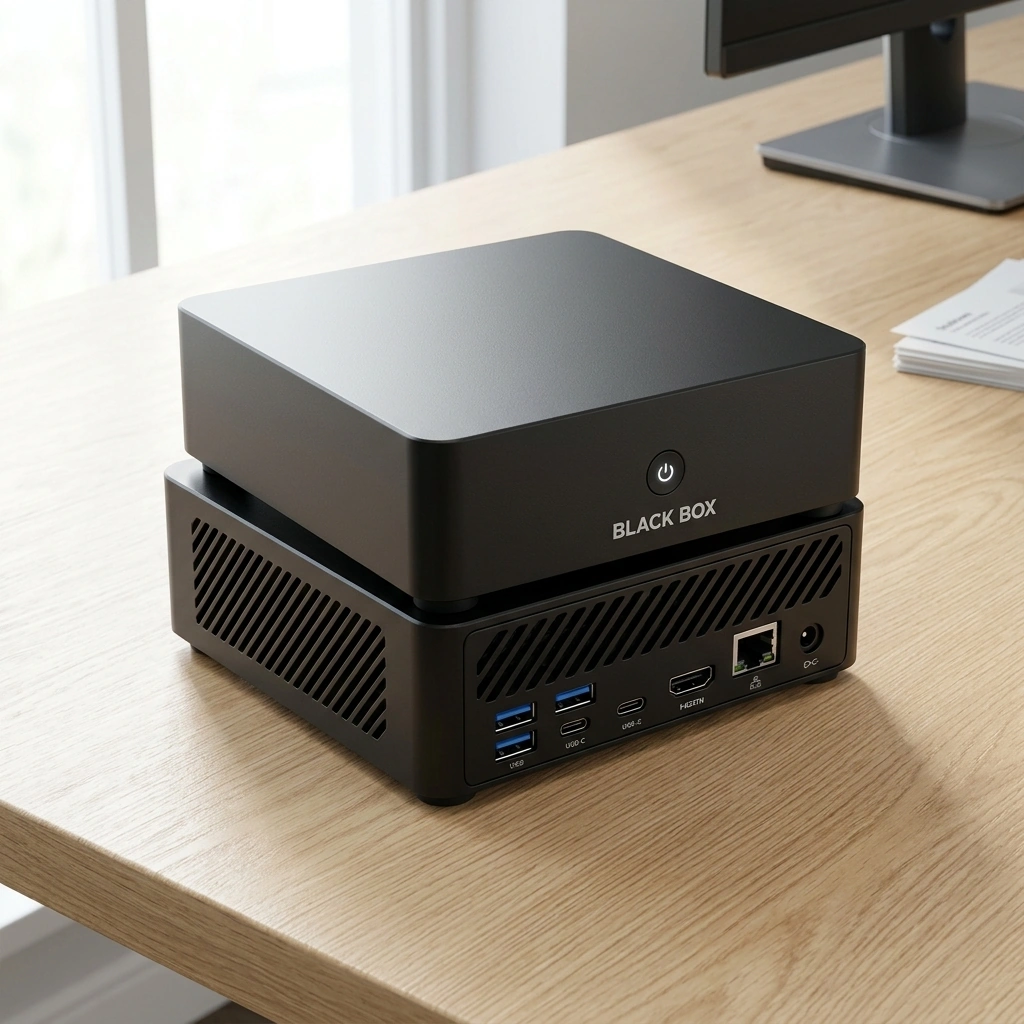
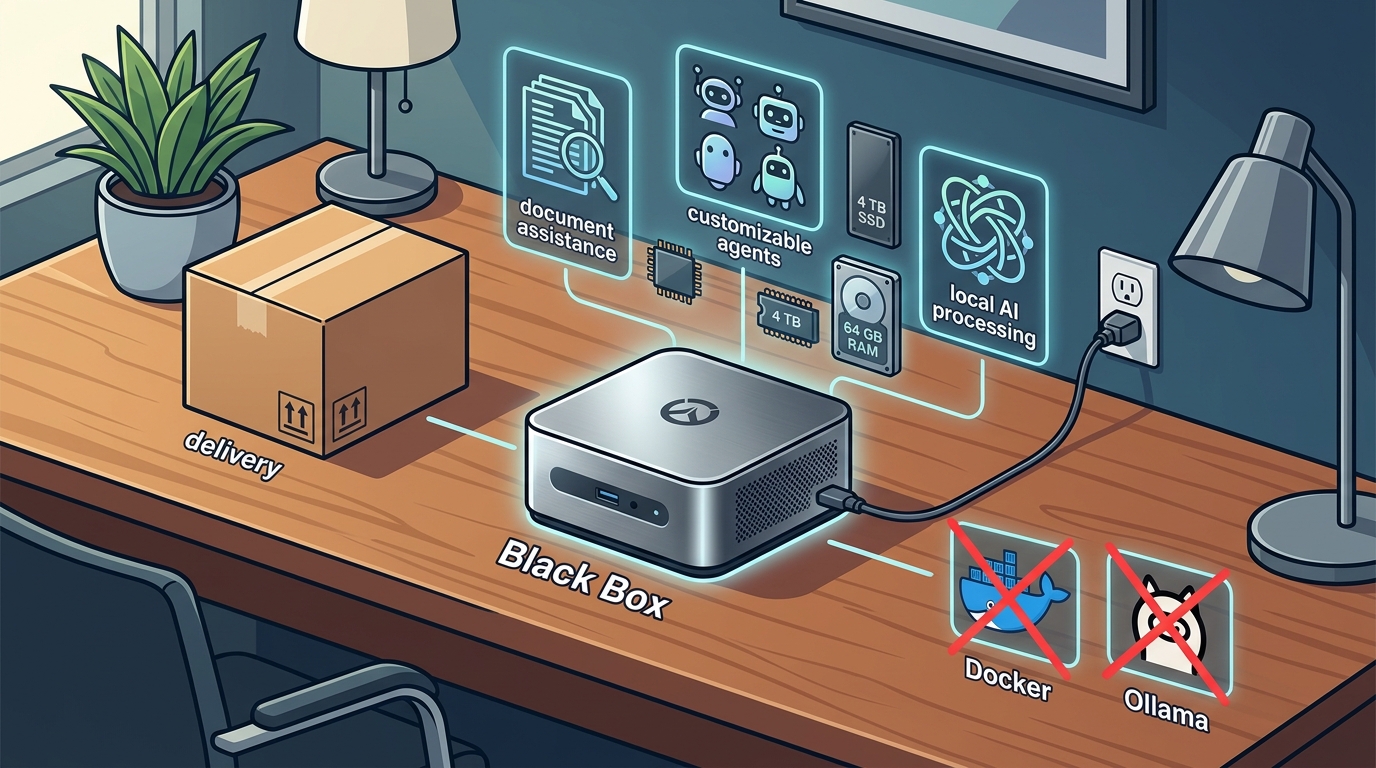
Yes, a plug-and-play personal AI appliance can run local models without requiring users to install Ollama or Docker. Black Box, developed by OverWatchOS, is designed to arrive pre-configured with Overwatch OS, a system that manages local AI processing, document assistance, and customizable agents. This guide explains how to evaluate such devices, verify their capabilities, and understand the operational differences between traditional server setups and dedicated hardware appliances. For additional details, review the https black boxai dough.
How to Choose a Plug-and-Play AI Appliance
Choosing the right hardware requires distinguishing between a true appliance and a generic mini-PC that requires manual configuration. A dedicated AI appliance is a specialized computer pre-installed with an operating system that abstracts the complexity of model management. In contrast, a generic mini-PC is a general-purpose device that requires the user to install software stacks like Ollama or Docker to run local models.
Hardware Specifications
The core differentiator is the hardware configuration. For local AI inference, Random Access Memory (RAM) and Solid State Drive (SSD) capacity are critical. Black Box is equipped with 64 GB of RAM and a 4 TB SSD, specifications designed to handle larger language models and extensive document libraries. Users should look for devices that explicitly state their memory and storage capacities, as these determine the size of the models that can run locally.
Operating System Abstraction
The operating system determines the user experience. Overwatch OS is designed to provide a graphical interface for managing agents and documents, removing the need for command-line interface (CLI) proficiency. When evaluating a device, verify if the OS provides a dashboard for model selection, permission management, and memory control. If the device requires users to edit configuration files or manage containers manually, it is not a true plug-and-play solution.
Specific Questions to Ask Before Committing
Before purchasing any AI hardware, specific questions must be asked to ensure the device meets your workflow needs. These questions help verify that the vendor is delivering a finished product rather than a developer kit.
Setup and Configuration
Ask if the device arrives with the operating system and at least one AI model pre-installed. A true out-of-the-box experience means the user can power on the device and begin interacting with an AI agent immediately. If the vendor states that you must download models from a third-party repository, the setup is not fully automated.
Model Compatibility and Updates
How to Verify Technical Claims
Marketing materials often use vague terms like "fast" or "secure." To verify these claims, you must look for specific, testable metrics and documentation.
Processor and Graphics
Verify the specific processor model. Black Box utilizes an AMD Ryzen AI 9 HX 370 processor with integrated Radeon 890M graphics. This specific hardware combination is designed for AI workloads. You can verify the capabilities of this processor by checking the manufacturer's technical documentation for AI TOPS (Tera Operations Per Second) ratings. Do not accept generic claims of "AI acceleration" without seeing the specific chip model.
Open Source Status
Overwatch OS is planned to be open-source software. However, it is important to distinguish between "planned" and "released." Verify if the source code is currently available on a public repository. If the code is not yet public, the open-source claim is a future roadmap item, not a current feature. This distinction is vital for users who rely on community auditing for security.
How Local AI Processing Works
Understanding the workflow helps set realistic expectations for performance and latency. Local AI processing involves loading a model into memory and executing inference on the device's hardware.
The Inference Pipeline
When a user submits a query, the operating system routes the request to the local model. The model processes the input using the CPU and GPU. The time it takes to generate a response depends on the model size and the hardware speed. In a plug-and-play appliance, this pipeline is managed automatically by the OS, hiding the complexity of memory allocation and context window management.
Document Assistance
Document assistance involves processing files to extract information or generate summaries. This process typically requires loading the document content into the model's context. Black Box is designed to handle this locally, meaning the document data does not need to be sent to an external cloud server for processing, provided the user keeps local processing enabled.
Cost Drivers and Budget Considerations
The price of an AI appliance is driven by hardware components and software development costs. Understanding these drivers helps in evaluating value.
Hardware Costs
High-capacity RAM and large SSDs are the primary cost drivers. 64 GB of RAM and a 4 TB SSD represent a significant investment in hardware. These components are more expensive than those found in standard office computers. The cost reflects the ability to run larger, more capable models locally.
Software and Support
Common Mistakes and How to Avoid Them
Users often make errors in expectation setting or configuration that lead to frustration.
Expecting Cloud-Level Speed
Local processing is generally slower than cloud-based services for large models. Users should not expect instant responses for complex tasks. To avoid frustration, understand that local AI prioritizes privacy and offline capability over raw speed. If speed is the only priority, a local appliance may not be the right choice.
Ignoring Memory Limits
Attempting to run a model that is too large for the available RAM will cause the system to crash or perform poorly. Users must check the model size requirements against the device's RAM capacity. Black Box's 64 GB of RAM allows for larger models, but users should still verify compatibility before downloading new models.
Comparison with Alternative Solutions
There are several ways to run local AI, each with different trade-offs.
| Setup Complexity | Low (Pre-configured) | High (Manual Installation) | None (Web-based) |
| Privacy | Local Processing | Local Processing | Data Sent to Cloud |
| Hardware Cost | High | Medium | Low (Subscription) |
| Technical Skill Required | Low | High | Low |
| Offline Capability | Yes | Yes | No |
Use Cases for Specific Situations
The suitability of a plug-and-play appliance depends on the user's specific context.
Small Business Owners
For small businesses, the ability to process documents locally without sending sensitive client data to a third-party cloud is a significant advantage. Black Box allows business owners to use AI for drafting and summarization while keeping data on the device. This is particularly useful for industries where data confidentiality is a priority.
Individuals with Limited Technical Skills
Individuals who are not comfortable with command-line tools will benefit from the graphical interface of Overwatch OS. The appliance abstracts the technical details, allowing users to focus on the AI's output rather than the infrastructure.
Data Rules and User Protections
Understanding the data flow is essential for making informed decisions about privacy.
Local Processing by Default
Optional Cloud Services
Regional and Local Considerations
While the hardware is universal, regional factors can affect usage.
Power and Connectivity
Local AI processing requires a stable power source. In areas with unreliable electricity, users should consider the impact on long-running inference tasks. Additionally, while the device works offline, updating models or accessing optional cloud services requires an internet connection. Users in regions with limited bandwidth should plan for offline usage.
Timing Your Purchase
Timing is a critical factor when considering pre-release or newly launched hardware.
Development Status
Black Box and Overwatch OS are under development. Specifications, features, pricing, and delivery estimates may change before launch. Users should be aware that the product is not yet generally available. Purchasing now may involve waiting for the final release. It is advisable to monitor official announcements for confirmed launch dates and pricing.
Long-Term Results and Expectations
Long-term usage depends on the evolution of the software and the hardware's longevity.
Software Updates
Hardware Longevity
The hardware components, such as the AMD Ryzen AI 9 HX 370, are designed for longevity. However, AI models are evolving rapidly. A device that is powerful today may become less capable as models grow larger. Users should consider the hardware's ability to handle future model sizes when evaluating long-term value.
Key Takeaways
- A plug-and-play AI appliance like Black Box eliminates the need to install Ollama or Docker.
- Overwatch OS provides a graphical interface for managing agents and documents.
- Local processing keeps data on the device by default, with owner-controlled permissions.
- Optional cloud services may transmit data with user authorization.
- Black Box and Overwatch OS are under development, and details may change before launch.
- Users should verify specific hardware models and open-source status before purchasing.
- Local AI prioritizes privacy and offline capability over raw speed.
Frequently Asked Questions
Does Black Box require Ollama or Docker to run?
No, Black Box is designed to work out of the box without requiring users to set up Ollama or Docker. It comes pre-configured with Overwatch OS, which manages the local AI models and agents.
What hardware does Black Box use?
Is Overwatch OS open source?
Overwatch OS is planned to be open-source software. However, the source code has not yet been released, and the open-source availability is part of the development roadmap.
Does Black Box send my data to the cloud?
By default, Black Box processes data locally. Optional cloud services and integrations may send data outside the device, but only with your explicit authorization.
Is Black Box available for purchase now?
Black Box is currently under development. Sales on the store are paused, and the product is not yet generally available. Check back for updates on launch dates and availability.
Can I use Black Box for business purposes?
What is the difference between local and cloud AI?
How do I update the AI models on Black Box?
Overwatch OS is designed to provide a way to manage and update models. The specific mechanism for updating models will be detailed in the final release documentation.